Hardware
- Wireless- Bluetooth connection to your device.
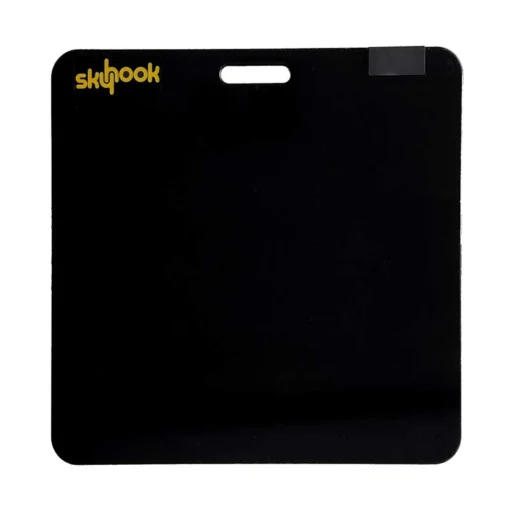
- Rugged design- works on any flat surface.
- Convenient- Rechargeable battery.
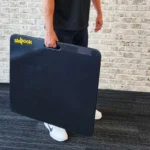
- Portable- Built-in carrying handle.
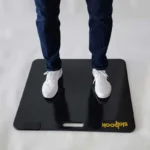
- Large Jump Area- 31”x31” (79cm x 79cm)
Software
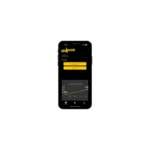
- Real-time Analysis- Vertical jump height, flight time, ground contact time, Reactive Strength Index (RSI), Scandinavian Rebound Jump Test (SRJT), and more.
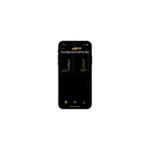
- Team Rosters. Leader Board, Jump Readiness Index, Jump Quadrant assessment
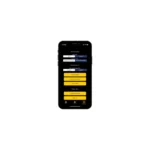
- Efficient Workflow- In-app data analysis and easy export for third-party software
- Cost-Effective- No license fees
- Compatible- App runs on both iOS and Android mobile devices.
- Data Continuity- Just Jump conversion mode.
| Weight | 32 lbs |
|---|---|
| Dimensions | 31 × 31 × 1 in |
- Real-time Analysis- Vertical jump height, flight time, ground contact time, Reactive Strength Index (RSI), Scandinavian Rebound Jump Test (SRJT), and more.
- Team Rosters:
- Leader Board
- Jump Readiness Index
- Jump Quadrant assessment
- Efficient Workflow- In-app data analysis and easy export for third-party software
- No license/subscription fees
- Compatible- App runs on both iOS and Android mobile devices
- Data Continuity- Just Jump conversion mode
2 year manufacturer’s warranty
1- Mat
1- Charging cable
Skyhook Contact Mat FAQs
What does Skyhook help coaches measure?
Skyhook helps coaches run jump testing, record athlete results, and review performance over time through the Skyhook app. The app also includes RSI formula settings and RSI quadrant classification for trial review.
What comes with the Skyhook system?
The quick start guide lists three main items: the Skyhook Jump Mat, the BrainBot controller, and the BrainBot charging cable.
How do you set up Skyhook?
Charge the BrainBot, connect it to the Skyhook Jump Mat with the magnetic connector, seat the BrainBot securely in the mat cavity, then connect the mat to the Skyhook app through Bluetooth.
How does the mat connect to the app?
Open the Skyhook subscription free app and check the Bluetooth icon. Red means the mat is not connected; blue means it is connected. To wake the mat before scanning, make sure the BrainBot is connected and gently step on the mat.
Can coaches create custom jump protocols?
Yes. The Protocol Creator lets coaches build custom jump sessions, and the app also includes default protocols to help coaches get started. No subscription required.
Can coaches manage teams or rosters?
Yes. The Roster Creator lets coaches create rosters, add athletes manually, or import athletes using a CSV file. No subscription required.
Can athlete data be saved?
Yes, when using Jump and Record. Coaches can track long-term individual athlete and roster data, view trial history, and save data to the cloud. No subscription required.
Can results be exported?
Yes. The Skyhook app includes CSV export for personal analysis or importing data into another software system.
What is Free Jump mode?
Free Jump is a demo-style mode that lets users set up a jump protocol and view jump results without logging in.
Are Free Jump results saved?
No. The guide states that Free Jump session results are not saved and cannot be exported.
Can Skyhook be used offline?
Yes. The guide references a “Use Offline” sign-in option. For long-term storage, users should save local jump data to the cloud when they are ready to sync.
What devices work with the Skyhook app?
The Skyhook app is optimized for Apple iPhone and iPad and is also compatible with Android phones and tablets. No subscription required.
Need help finding the right tool for you?
Call, text us 925-461-5990 or email us for assistance
Fill out the form below, and one of our experts will reach out to you shortly.
Skyhook Contact Mat
$1,099.00
 Earn
5,495
pts
Earn
5,495
pts
Skyhook delivers the latest innovation in jump testing: a rugged, wireless, and portable platform featuring effective data management tools. Create team rosters and execute test protocols spanning simple to complex. Every athlete, every jump, every sequence automatically stored and saved. Monitor metrics that matter wherever you train—in the gym, at the track, or on the field.
- Immediate Feedback– Motivate athletes with competitive, measurable results.
- Real-time Analysis- Vertical jump height, flight time, ground contact time, Reactive Strength Index (RSI), Scandinavian Rebound Jump Test (SRJT), and more
- Cloud Data Storage– Includes subscription free storage to track athlete performance trends over time on both iOS and Android
- Data Continuity- Just Jump conversion mode
Details
Hardware
- Wireless- Bluetooth connection to your device.
- Rugged design- works on any flat surface.
- Convenient- Rechargeable battery.
- Portable- Built-in carrying handle.
- Large Jump Area- 31”x31” (79cm x 79cm)
Software
- Real-time Analysis- Vertical jump height, flight time, ground contact time, Reactive Strength Index (RSI), Scandinavian Rebound Jump Test (SRJT), and more.
- Team Rosters. Leader Board, Jump Readiness Index, Jump Quadrant assessment
- Efficient Workflow- In-app data analysis and easy export for third-party software
- Cost-Effective- No license fees
- Compatible- App runs on both iOS and Android mobile devices.
- Data Continuity- Just Jump conversion mode.
Shipping
| Weight | 32 lbs |
|---|---|
| Dimensions | 31 × 31 × 1 in |
App Features
- Real-time Analysis- Vertical jump height, flight time, ground contact time, Reactive Strength Index (RSI), Scandinavian Rebound Jump Test (SRJT), and more.
- Team Rosters:
- Leader Board
- Jump Readiness Index
- Jump Quadrant assessment
- Efficient Workflow- In-app data analysis and easy export for third-party software
- No license/subscription fees
- Compatible- App runs on both iOS and Android mobile devices
- Data Continuity- Just Jump conversion mode
Warranty
2 year manufacturer’s warranty
What's Included
1- Mat
1- Charging cable
FAQs
Skyhook Contact Mat FAQs
What does Skyhook help coaches measure?
Skyhook helps coaches run jump testing, record athlete results, and review performance over time through the Skyhook app. The app also includes RSI formula settings and RSI quadrant classification for trial review.
What comes with the Skyhook system?
The quick start guide lists three main items: the Skyhook Jump Mat, the BrainBot controller, and the BrainBot charging cable.
How do you set up Skyhook?
Charge the BrainBot, connect it to the Skyhook Jump Mat with the magnetic connector, seat the BrainBot securely in the mat cavity, then connect the mat to the Skyhook app through Bluetooth.
How does the mat connect to the app?
Open the Skyhook subscription free app and check the Bluetooth icon. Red means the mat is not connected; blue means it is connected. To wake the mat before scanning, make sure the BrainBot is connected and gently step on the mat.
Can coaches create custom jump protocols?
Yes. The Protocol Creator lets coaches build custom jump sessions, and the app also includes default protocols to help coaches get started. No subscription required.
Can coaches manage teams or rosters?
Yes. The Roster Creator lets coaches create rosters, add athletes manually, or import athletes using a CSV file. No subscription required.
Can athlete data be saved?
Yes, when using Jump and Record. Coaches can track long-term individual athlete and roster data, view trial history, and save data to the cloud. No subscription required.
Can results be exported?
Yes. The Skyhook app includes CSV export for personal analysis or importing data into another software system.
What is Free Jump mode?
Free Jump is a demo-style mode that lets users set up a jump protocol and view jump results without logging in.
Are Free Jump results saved?
No. The guide states that Free Jump session results are not saved and cannot be exported.
Can Skyhook be used offline?
Yes. The guide references a “Use Offline” sign-in option. For long-term storage, users should save local jump data to the cloud when they are ready to sync.
What devices work with the Skyhook app?
The Skyhook app is optimized for Apple iPhone and iPad and is also compatible with Android phones and tablets. No subscription required.
Need Help?
Not sure what you need?
Call, text us 925-461-5990 or email us for assistance
Fill out the form below, and one of our experts will reach out to you shortly.